How to Remove Watermark Online Without Software — Free 2026
Need to remove watermark online without downloading any software? In 2026, you can remove watermarks from images completely free using AI-powered browser tools — no installation, no signup, and no technical skills required. CleanImage AI lets you remove watermarks online in seconds from any device.
In this guide, we show you exactly how to remove watermarks online free without software, and why browser-based AI tools are the best solution in 2026.
Why Remove Watermark Online Instead of Using Software?
Traditional watermark removal required expensive software like Adobe Photoshop, which costs money and requires technical knowledge. Today, you can remove watermarks online using free browser-based AI tools that deliver professional results in seconds.
Benefits of removing watermarks online:
- No download required — works directly in your browser
- Completely free — no licence or subscription fees
- Works on any device — desktop, laptop, tablet, or mobile
- Instant results — AI removes watermarks in seconds
- No technical skills needed — simple upload and remove process
- HD quality output — full resolution images preserved
How to Remove Watermark Online Free — Step by Step
Follow these steps to remove watermarks online free using CleanImage AI:
Step 1 — Open CleanImage AI in Your Browser
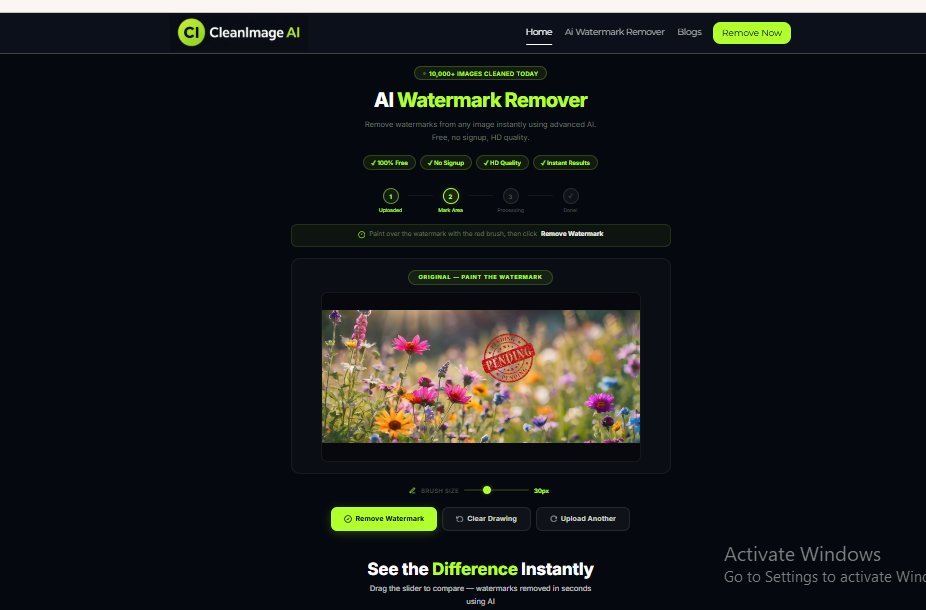
Go to CleanImage AI Watermark Remover in any browser on any device. No download or signup is required — the tool works instantly online.
Step 2 — Upload Your Image
Upload your watermarked image by dragging and dropping it onto the tool, clicking to browse your files, or pasting it directly using Ctrl+V. Supported formats include JPG, PNG, and WEBP up to 10MB.
Step 3 — Paint Over the Watermark
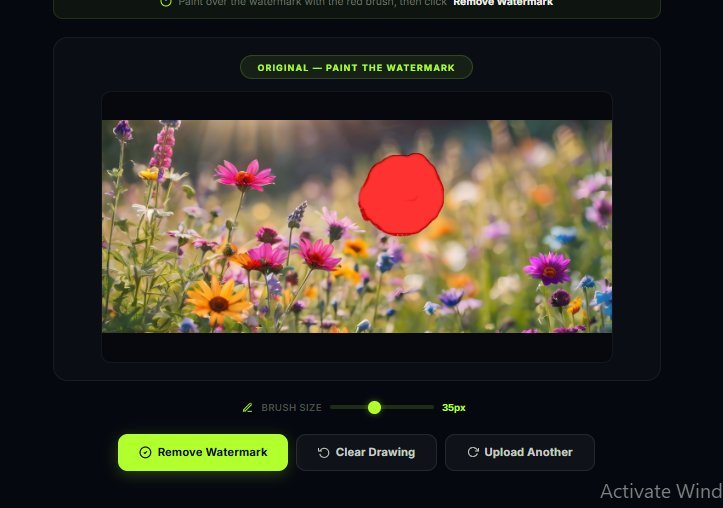
Use the red brush tool to paint over the watermark area. Adjust the brush size to precisely cover logos, text stamps, or pattern watermarks. You can zoom in for more precise coverage.
Step 4 — Remove and Download
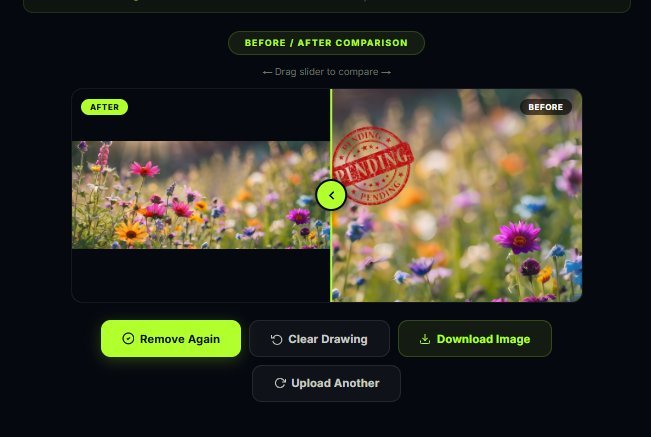
Click Remove Watermark and the AI will process your image in seconds. Compare the before and after result using the slider, then download your clean HD image.
Remove Watermark Online — Which Types of Watermarks Can Be Removed?
CleanImage AI can remove watermarks online for a wide range of watermark types, including:
- Text watermarks — copyright text, “Sample”, “Confidential”
- Logo watermarks — brand logos, icons, company stamps
- Stock photo watermarks — Shutterstock, Getty Images, Adobe Stock
- Pattern watermarks — repeated diagonal text across the image
- Date and timestamp stamps — camera date overlays
- Semi-transparent watermarks — subtle overlays
According to Wikipedia, watermarks are used to protect intellectual property — so always ensure you have permission to remove a watermark before doing so.
Best Tool to Remove Watermark Online Free in the UK
There are many tools available to remove watermarks online, but CleanImage AI stands out as the best option for UK users in 2026:
- ✅ 100% free — no hidden charges or daily limits
- ✅ No signup required — use instantly without creating an account
- ✅ No software download — works entirely in your browser
- ✅ AI-powered precision — intelligent fill for natural results
- ✅ Before/After slider — compare results before downloading
- ✅ Multi-pass removal — process the same image multiple times
- ✅ Mobile friendly — works on iPhone, Android, and tablets
Remove Watermark Online vs Desktop Software — Which Is Better?
Many people wonder whether to remove watermarks online or use desktop software. Here is a comparison:
- Online tools (CleanImage AI) — free, instant, no download, works on any device
- Desktop software (Photoshop, Inpaint) — expensive, requires installation, not mobile friendly
For most users in the UK who need to remove watermarks online quickly and for free, browser-based AI tools like CleanImage AI are the clear winner in 2026.
CleanImage AI also supports multi-pass watermark removal — meaning if the watermark is not fully removed in the first attempt, you can simply paint over the remaining area and click Remove Watermark again. This feature makes it the most reliable tool to remove watermark online free in the UK, delivering perfect results every time without any cost or technical expertise required.
Tips for Best Results When You Remove Watermark Online
- Use high-resolution images for better AI analysis
- Cover the entire watermark including edges with the brush tool
- Use a slightly larger brush size than the watermark area
- If the watermark is not fully removed, use multi-pass removal
- Check the before/after slider before downloading
Remove Watermark Online — Works on All Devices in the UK
One of the biggest advantages of CleanImage AI is that you can remove watermark online from any device. Whether you are using a Windows PC, Mac, iPhone, or Android phone in the UK, CleanImage AI works perfectly in any browser. You do not need to install any app or software — simply open the website, upload your image, and remove watermark online in seconds. This makes CleanImage AI the most convenient and accessible free online watermark remover available in 2026 for UK users.
Frequently Asked Questions — Remove Watermark Online
Can I remove watermarks online for free?
Yes — CleanImage AI lets you remove watermarks online completely free with no signup required. Simply upload your image and remove any watermark in seconds.
Do I need to download software to remove watermarks online?
No — CleanImage AI works entirely in your browser. You do not need to download or install any software to remove watermarks online.
Can I remove watermarks online on my phone?
Yes — CleanImage AI works on all mobile browsers. You can remove watermarks online on your iPhone or Android phone without downloading any app.
Is it safe to remove watermarks online?
Yes — CleanImage AI processes your images securely. Your uploaded images are not stored or shared after processing.
How long does it take to remove watermarks online?
CleanImage AI removes watermarks online in under 3 seconds using advanced AI technology.
Remove Watermark Online — Free Forever with CleanImage AI
CleanImage AI is committed to providing free online watermark removal for everyone in the UK and worldwide. Whether you need to remove watermark online from a single image or multiple images, CleanImage AI delivers HD quality results every time — completely free, no signup required, and no software to download.
Ready to remove watermarks online for free? Try CleanImage AI today and get clean, professional images in seconds — no software, no cost, no signup.